The Best Windows Apps Are Still Free, And Still Not Advertised
The best free PC apps for 2027 are mostly open source, and they beat the paid ones. Here is what I install first, what to skip, and the download trap to dodge.
By Unespc
The best free PC apps are mostly open source, and that is not a compromise. Everything in this list beats the paid product it competes with, which is the reason none of it is advertised at you.
That last part matters more than it sounds. The software you see promoted is promoted because someone makes money on the install. The software in this list has nobody buying search ads for it.
What are the best free PC apps right now?
Start with the three that change how the machine feels on day one.
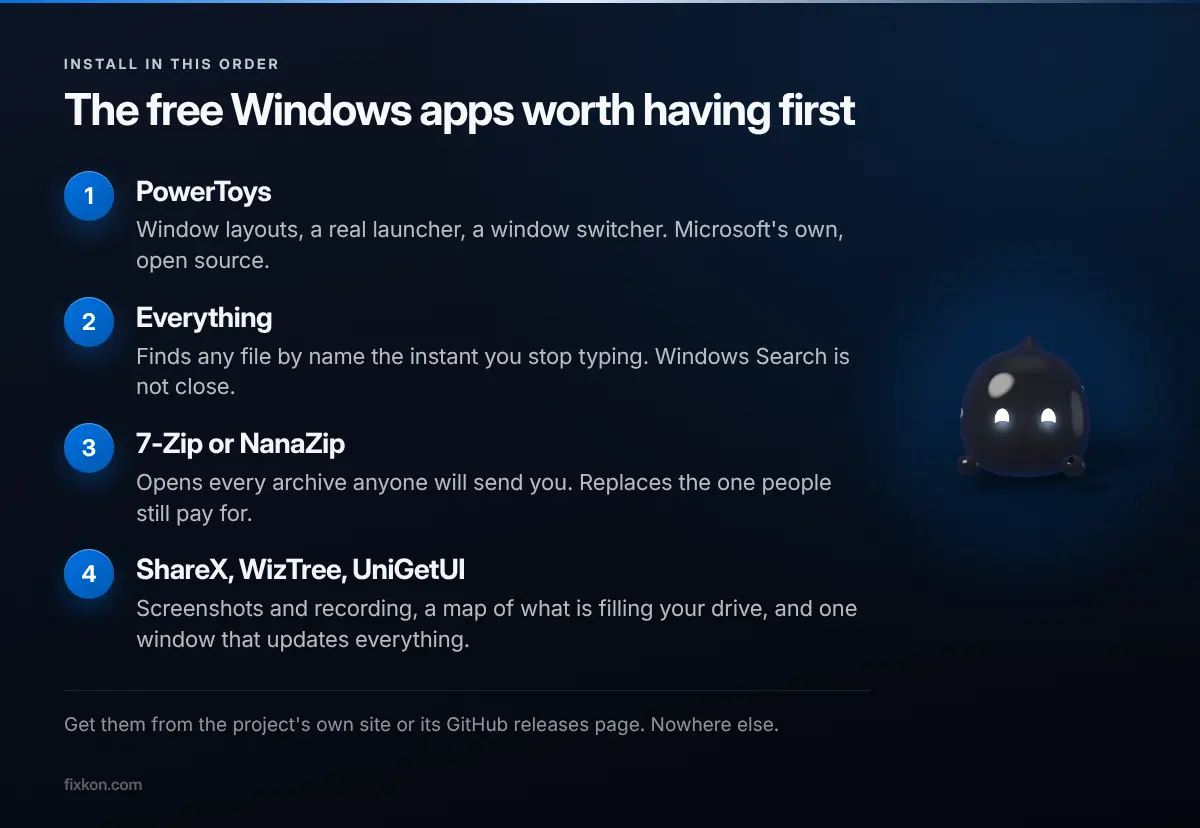
PowerToys is Microsoft's own, open source, and it is closer to a desktop environment than a utility pack now. Window layouts, a proper launcher, a window switcher, screen measurement. If you install one thing, install this.
Everything finds any file by name the instant you finish typing. Windows Search does not do this. It is not close, and once you have used it the built-in search feels broken.
7-Zip opens every archive anyone will send you. It is free for any use, which is the whole argument against the thing people usually pay for. NanaZip is the same engine with an interface that matches modern Windows.
Then the second tier, which you will want within a week.
ShareX for screenshots, and as of its latest rewrite it records your screen natively without needing a separate encoder bundled alongside it. A screenshot tool absorbing screen recording is one of the quieter wins of the year.
Bulk Crap Uninstaller removes software and then goes after what the uninstaller left behind, which on Windows is usually a surprising amount of registry keys and orphaned folders nobody ever cleans up.
WizTree draws your whole drive as a map, sized by what is actually using it, so a mystery hundred gigabytes stops being a mystery in about four seconds. UniGetUI updates everything you installed from one window instead of eleven separate updaters that each want to run at startup. VLC plays the file, whatever the file is.
Which free app replaces something you pay for?
Three swaps, and the antivirus one saves the most money because it is the subscription most people forget they are still paying.
Paid antivirus. Microsoft Defender sits at or near the top of AV-TEST's Windows 11 home rounds and it is already on your machine. Secondary write-ups disagree on its exact score and which month it earned it, so check the current round yourself rather than trusting any number in a blog post, including this one. Paid suites mostly sell extra features, not better detection.
Paid transcription. Audacity ships a plugin that transcribes audio on your own machine and exports subtitles, offline, with no account. This was a monthly subscription category two years ago.
Paid archive tools. Covered above, and there is no version of this argument where you should be paying for one. The paid option in this category is famous mostly for a nag screen it has shown for decades.
Do free PC optimizers actually make your PC faster?
Here is the part where I argue against my own industry.
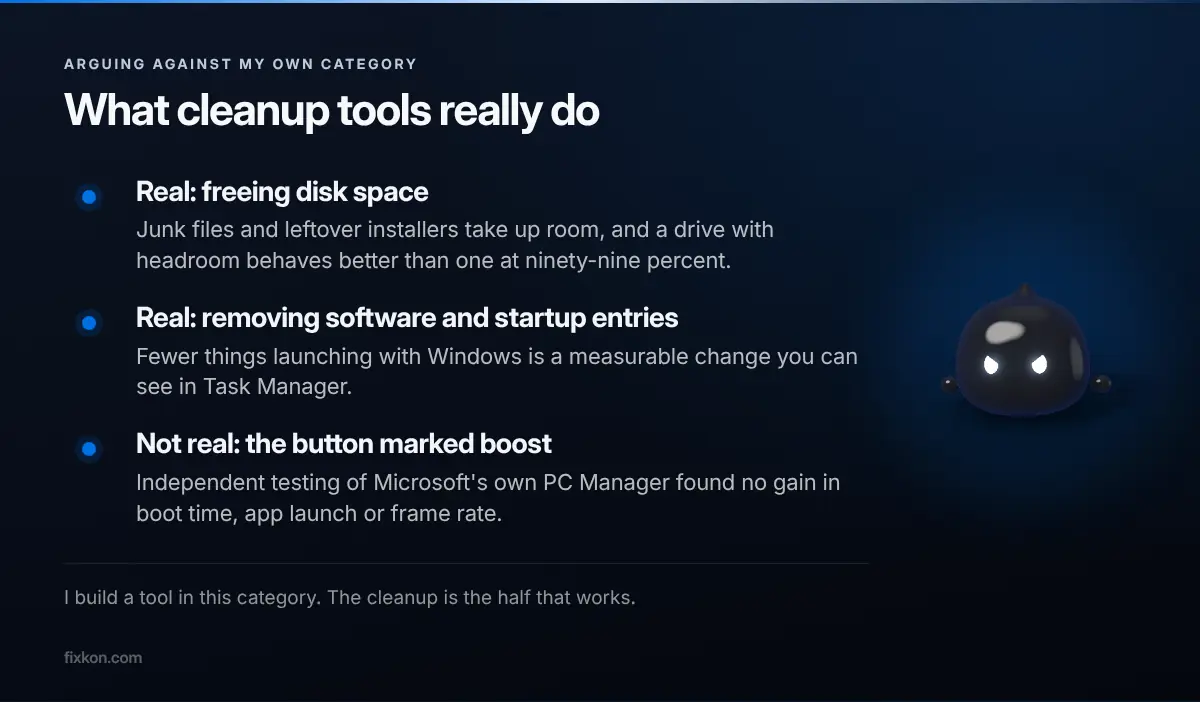
Clearing junk files is real. You had a full drive, now you do not, and a drive with room behaves better than one at ninety-nine percent. Removing software you stopped using is real. So is pulling things out of startup.
The claim that does not survive testing is the button marked boost. Independent testing of Microsoft's own PC Manager found no improvement in boot time, app launch or frame rate from its one-click optimiser, while the disk cleanup did free real space. That finding generalises across the category.
I built FixKon, which sits in exactly this category, so read that paragraph with the appropriate suspicion and then notice I wrote it anyway. Cleanup is worth doing. A button that makes your computer faster is not a thing, and anyone selling you one is selling you a feeling rather than a result.
My take: the category earned its bad reputation honestly. A generation of optimisers sold placebo buttons, and the useful half of the work, which is finding what is actually filling your drive, got tarred along with it. FixKon's PC tools do the real half and are free, and I would rather say that plainly than imply the magic one.
How do you avoid the fake download sites?
This is the one genuine danger in a post like this.
Searching an app name turns up official-looking domains that are not the project. Some serve stale builds. Some serve archives that need a password to extract, which exists for one reason, which is to stop your antivirus reading inside the file before you open it.
Two rules cover it. Go to the project's own domain or its GitHub releases page, and type the address rather than clicking the first result. If an installer wants a password before it will unpack, close it and delete it.
I have deliberately left version numbers out of this post. While researching it, three sources gave three different current versions for the same app, all confidently. Check the project's own releases page, which is correct by definition.
What would I install tonight?
PowerToys, Everything, 7-Zip. Give it a day and see whether the machine feels different, because that is a better test than any benchmark I could quote at you.
Then add ShareX when you next need a screenshot, and WizTree the next time your drive fills without explanation. The rest can wait until you miss it.
If a tool in this list starts asking for a subscription, that is your signal to look for its replacement rather than your signal to pay. The last couple of years have gone that direction for a lot of utilities, and the same thing happened across AI tools this year. The free ones that stayed free tend to be the ones with nobody to answer to.
Questions people keep asking
- What are the best free PC apps to install first?
- PowerToys for window management and a better launcher, Everything for instant file search, and 7-Zip for archives. Those three change how the machine feels within a day.
- Do I need to pay for antivirus on Windows?
- For most people, no. Microsoft Defender scores at or near the top of AV-TEST's Windows 11 home rounds and is already installed. Paid suites mostly add features rather than better detection.
- Do free PC optimizers actually speed up your computer?
- The cleanup does something real because deleting junk frees space. Independent testing has not found that one-click boost features improve boot time, app launch or frame rate. Treat that claim as marketing.
- What is a free alternative to WinRAR?
- 7-Zip handles essentially every archive format and costs nothing. NanaZip is the same engine with an interface built for modern Windows.
- How do I avoid fake download sites?
- Go to the project's own domain or its GitHub releases page, never a search result that looks official. An archive that needs a password to extract is a malware pattern, not a convenience.
I make the short video version of these on Instagram and YouTube.
Follow along there, or come argue with me in the Discord.