What FixKon Actually Does, And What It Refuses To Do
FixKon is an AI assistant for Windows that can operate your PC rather than chat about it. Here is what it does, what it costs, and what it refuses to do.
By Unespc
FixKon is an AI assistant that runs on your Windows PC and can actually operate it. It sees your screen, takes a spoken or typed instruction, and then does the work: clearing a clogged drive, uninstalling something, changing a setting, filling in a form. The difference from a chatbot is that a chatbot tells you where to click.
That gap is the whole product. And it is also the scary part, which is why most of this post is about the limits rather than the features.
What can an AI assistant for Windows actually do on your PC?
The agent ships with tool modules covering four surfaces: your desktop and the windows on it, Windows settings and system state, the web, and a paired phone. So a request can cross between them in one instruction. Find the invoice in that folder, rename it, attach it to a reply.
Two things make this work day to day rather than in a demo.
The first is Snap and Solve. One keyboard shortcut captures your screen and hands it straight to the AI, so you never describe what you are looking at or paste a screenshot anywhere.
The second is that it reads the screen locally for the ordinary cases, which keeps the fast path on your own machine.
What are the free PC tools?
Six of them, free on every plan including the free one, per the pricing page: Disk Analyzer, Cleanup, Uninstaller, Performance, Security and Device info. Dictation is unlimited and runs on your own PC rather than through a server.
That is the part I would try first. It needs no account decision and it is the half of the product that does not involve trusting an agent with anything.
How does FixKon decide what needs your permission?
Every action the agent can take carries a risk level, and the policy engine decides what needs a yes. Not the model. That distinction matters, because a model can be argued with.
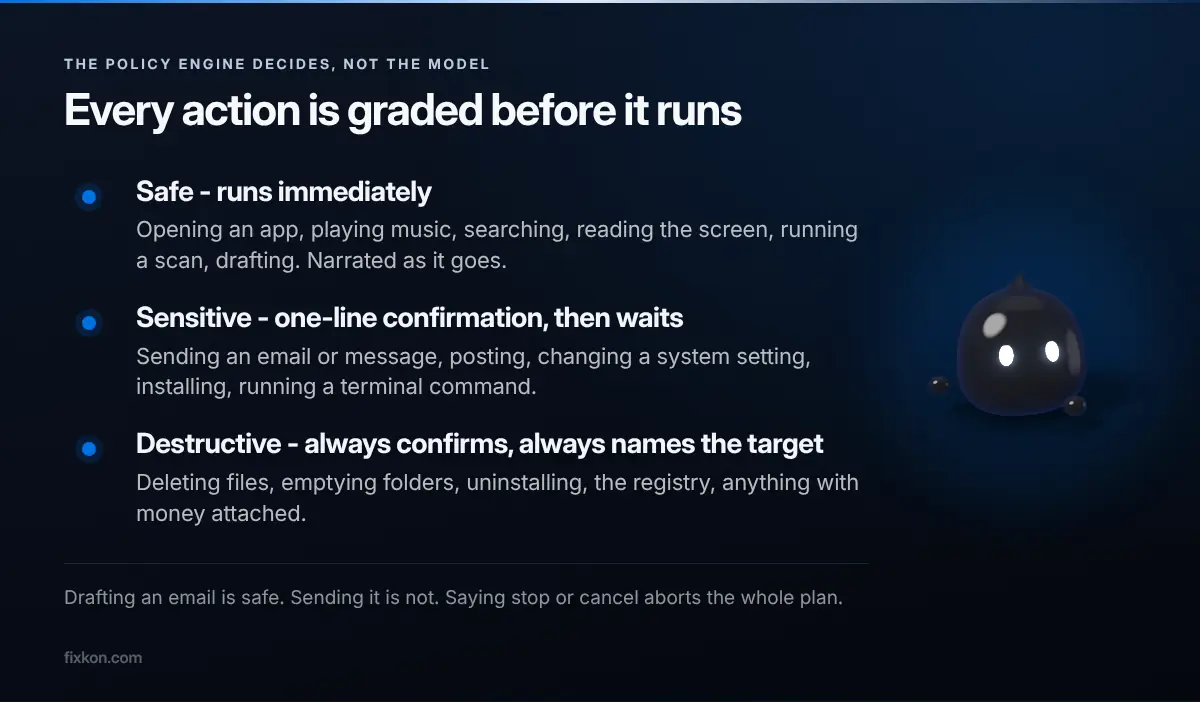
- Safe runs immediately and narrates as it goes. Opening an app, playing music, searching, reading the screen, running a FixKon scan, drafting something.
- Sensitive speaks a one-line confirmation and waits. Sending an email or message, posting, changing a system setting, installing, running a terminal command.
- Destructive always confirms and always names the target out loud. Deleting files, emptying folders, uninstalling, touching the registry, anything with money attached.
Drafting an email is safe. Sending it is not. That line is drawn in the policy engine rather than left to the model's judgement, and saying stop or cancel at any point aborts the whole plan.
What will it refuse to do, even if you insist?
This is the part I would want to know about before installing anything like this, and it is the piece that is genuinely unusual.
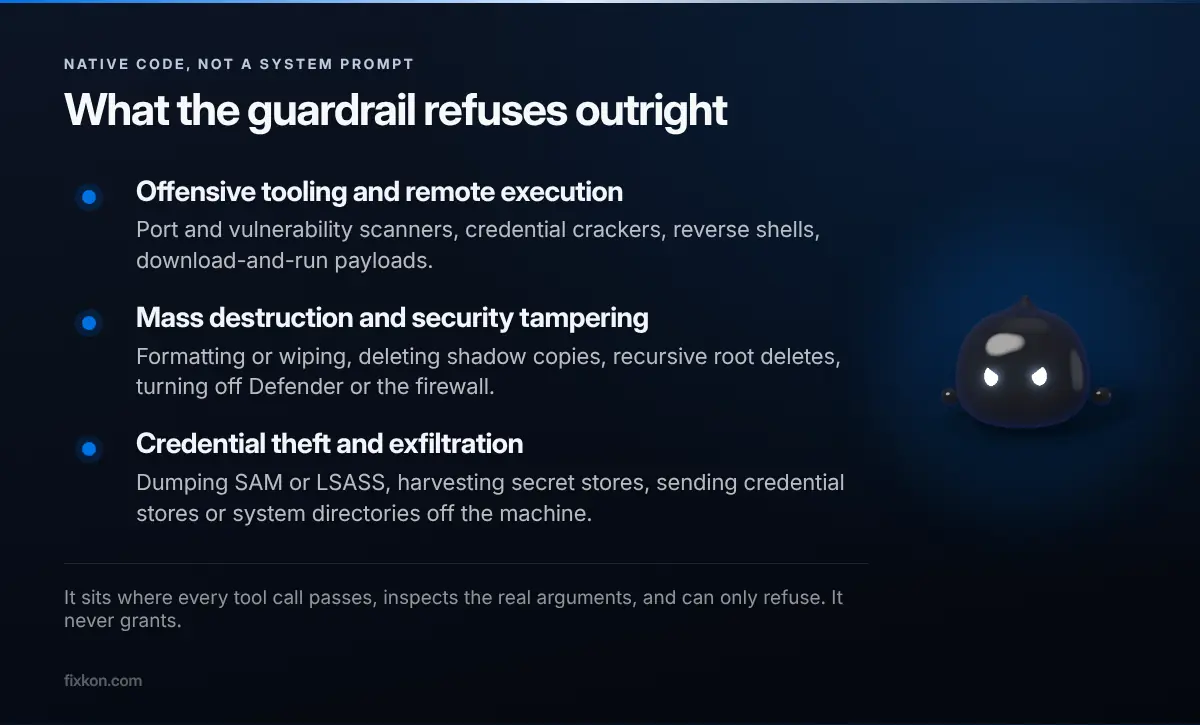
There is a second layer underneath the policy engine, written in native code rather than prompts. It sits at the single point every tool call has to pass through, it inspects the actual action and its real arguments, and it can only ever refuse. It never grants anything.
The reason it exists is stated plainly in the source: any model can be jailbroken, so the backstop cannot be the model. It hard-refuses seven categories outright, including offensive security tooling, remote execution and download-and-run payloads, mass destruction like formatting a drive or deleting shadow copies, disabling Defender or the firewall, credential dumping, exfiltrating credential stores off the machine, and unsafe URL schemes.
My take: this is the right architecture and more products in this category should copy it. A system prompt is a request. Native code at a chokepoint is a wall.
Can you undo what the AI did?
Mostly, yes, and this is where I think the design earns its keep.
Every change the agent makes is recorded with its reverse at the moment it happens. Ask what it changed today and it answers from that record rather than from memory. Ask it to undo the last hour and it replays those reverses newest first, and it tells you plainly which ones cannot be taken back, because a sent email is sent.
There is a second thing built on that same record. Finish a task you will repeat, and you can save the whole sequence as a named routine. Replaying it is not a blind macro that clicks fixed coordinates: the steps go back to the planner and get re-fitted to the screen as it is now, so a moved window or an extra dialog does not break it.
What does FixKon cost?
Three tiers, listed in full on the pricing page.
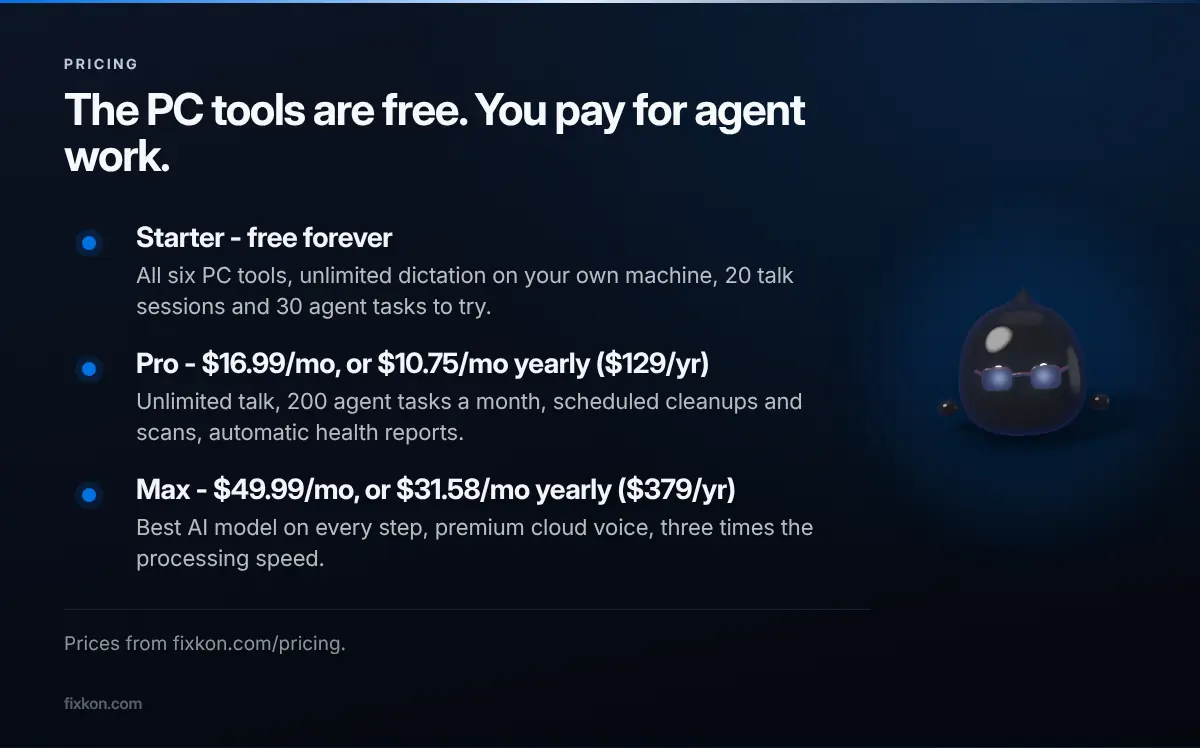
Starter is free forever. It includes every PC tool, unlimited local dictation, and a trial allowance of 20 talk sessions plus 30 agent tasks. Pro is $16.99 a month, or $10.75 a month paid yearly, which adds unlimited talk, 200 agent tasks a month, and scheduled cleanups with automatic health reports. Max is $49.99 a month, or $31.58 a month paid yearly, for the best model on every step and faster processing.
The honest summary: the PC tools are free and stay free, and you pay for how much agent work you want on top.
What do you need to run it?
Windows 10 version 1909 or later, or Windows 11, with 4 GB of RAM and 200 MB free, per the download page. The Mac build is listed as coming, along with the iPhone and Android apps. Listed, not shipped, and I would rather say that straight than imply otherwise.
If you want the shorter version of why this exists, I wrote that when I first put it out. And if you want to see the tools doing something concrete instead of described, the Windows update that broke a lot of games is a decent example of the kind of mess this is meant to shorten.
What I would still like to get right is the handoff between the free tools and the agent. Right now they are two halves of one app, and I am not sure the seam is invisible enough yet.
Questions people keep asking
- What is FixKon?
- FixKon is an AI assistant that runs on your Windows PC and can operate it on your behalf. It sees your screen, takes spoken or typed instructions, and carries out real actions like clearing storage, uninstalling software or changing a setting.
- Is FixKon free?
- The six PC tools are free forever on every plan, along with unlimited dictation that runs on your own machine. The AI agent gives you 20 talk sessions and 30 agent tasks to try before you pay.
- Can the AI delete my files without asking?
- No. Deleting anything is classed as destructive, which always requires confirmation and always names the target out loud. Saying stop or cancel at any point aborts the whole plan.
- What are the system requirements for FixKon?
- Windows 10 version 1909 or later, or Windows 11, with 4 GB of RAM and 200 MB of free space. Mac, iOS and Android versions are listed as coming.
- Can you undo what the AI did?
- Yes, for most things. Every change the agent makes is recorded with its reverse at the moment it runs, so you can ask it to undo the last hour. It tells you plainly which actions cannot be rolled back.
I make the short video version of these on Instagram and YouTube.
Follow along there, or come argue with me in the Discord.